
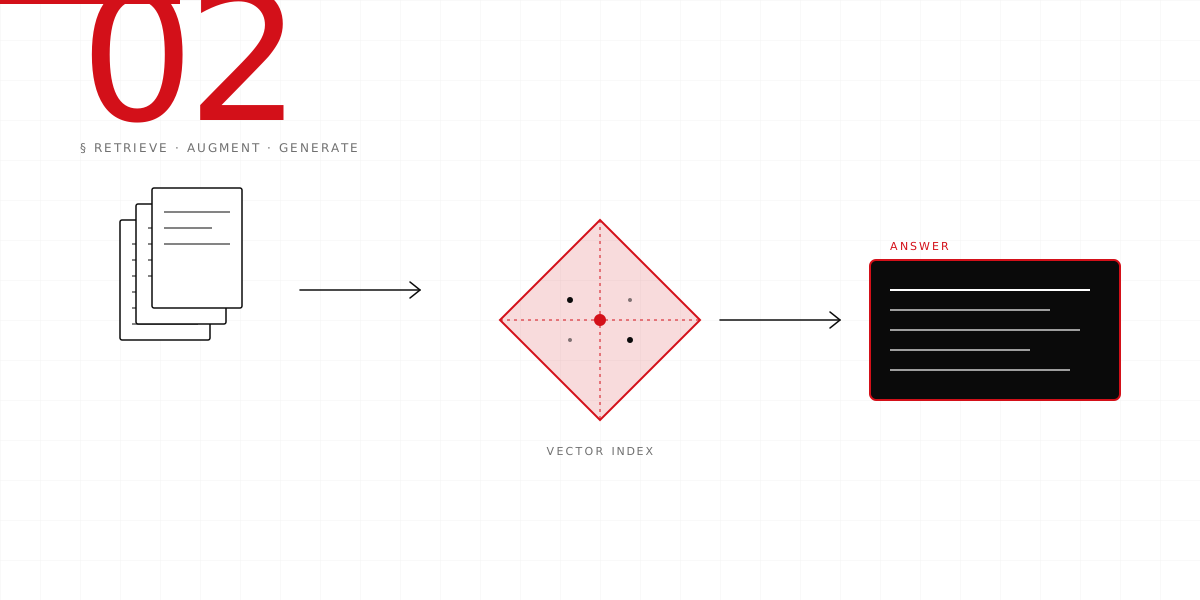
What we're building: a tiny chatbot that can answer questions about a set of documents you provide. You upload some text, it finds the most relevant bits, and uses a language model to write an answer grounded in what you uploaded. That's RAG — retrieval, augmentation, generation. Three words, one pipeline.
Everything below is free or nearly free to try.
- Python 3.10+Most modern installs work.
- An OpenAI API key~$1 of credit is plenty.
- A terminalAnywhere you can run commands.
- 90 minutesReally. We timed it.
What is RAG, really?
A plain-language model (ChatGPT, Claude, whatever) only knows what it learned during training. It doesn't know about your company's docs, your product, your Slack history. To make it useful to you, you have to hand it the relevant context at runtime.
RAG is just that. When a question comes in, you search through your own documents, find the most relevant chunks, and paste them into the prompt along with the question. The model answers using your data.
The search part is the trick. We don't search by keywords — we search by meaning, using embeddings. Every document gets turned into a vector of numbers (an "embedding"); the question is too; and we find the documents whose vectors sit closest to the question's vector in high-dimensional space. Similar meaning, similar coordinates. That's the whole game.
Set up your environment
Make a new folder, open a terminal in it, and create a Python virtual environment. A virtual environment is just a sandboxed copy of Python — it keeps your project's dependencies from mixing with the rest of your machine.
mkdir rag-demo && cd rag-demo
python3 -m venv .venv
source .venv/bin/activate     # on Windows: .venv\Scripts\activate

pip install openai faiss-cpu tiktoken
Those four packages are all you need:
openai— the Python client for OpenAI's API.faiss-cpu— Facebook's vector database. Fast, local, no setup.tiktoken— tells you how many tokens your text uses (so you can stay within limits).
Now put your API key in your shell so the code can read it:
export OPENAI_API_KEY="sk-..."Prepare your documents
For this tutorial, use anything — your FAQ, your company wiki, a blog, even Wikipedia articles. Put the text into a folder called docs/, one file per document.
Real documents are too long to embed as single vectors — we chunk them first. A good default: chunks of 400-600 words, with 50 words of overlap between chunks. Create a file called chunk.py:
import os
from pathlib import Path

def chunk_text(text, size=500, overlap=50):
    """Split text into overlapping word chunks."""
    words = text.split()
    chunks = []
    i = 0
    while i < len(words):
        chunk = " ".join(words[i : i + size])
        chunks.append(chunk)
        i += size - overlap
    return chunks

def load_and_chunk(folder="docs"):
    all_chunks = []
    for path in Path(folder).glob("*.txt"):
        text = path.read_text(encoding="utf-8")
        for idx, chunk in enumerate(chunk_text(text)):
            all_chunks.append({
                "source": path.name,
                "chunk_id": idx,
                "text": chunk,
            })
    return all_chunks

if __name__ == "__main__":
    chunks = load_and_chunk()
    print(f"Loaded {len(chunks)} chunks from docs/")
Run it:
python chunk.pyChunk size matters more than people admit. Too small and you lose context. Too large and retrieval gets fuzzy. 500 words is a safe starting point for prose; for code or tables you want smaller, more structured chunks.
Embed the chunks
Now we turn every chunk into a vector. Create embed.py:
import json
import numpy as np
from openai import OpenAI
from chunk import load_and_chunk

client = OpenAI()
MODEL = "text-embedding-3-small"   # cheap, fast, good enough

def embed_batch(texts):
    """Call the API in one batch for efficiency."""
    response = client.embeddings.create(
        model=MODEL,
        input=texts,
    )
    return [np.array(d.embedding, dtype="float32") for d in response.data]

def main():
    chunks = load_and_chunk()
    print(f"Embedding {len(chunks)} chunks...")
    vectors = embed_batch([c["text"] for c in chunks])

    # Save vectors + metadata side by side
    np.save("vectors.npy", np.stack(vectors))
    with open("meta.json", "w") as f:
        json.dump(chunks, f)
    print("Saved vectors.npy + meta.json")

if __name__ == "__main__":
    main()
Run it:
python embed.pyYou just spent about a penny and turned your documents into an array of floating-point numbers. Congratulations.
Build the vector index
FAISS is a library for fast similarity search. For a few thousand chunks it's overkill; for a few million it's essential. Either way, it's easy to use. Create index.py:
import json
import numpy as np
import faiss

def build_index():
    vectors = np.load("vectors.npy")
    dim = vectors.shape[1]
    index = faiss.IndexFlatIP(dim)          # inner-product search
    faiss.normalize_L2(vectors)             # so IP == cosine similarity
    index.add(vectors)
    faiss.write_index(index, "rag.index")
    print(f"Indexed {index.ntotal} vectors of dim {dim}")

def load_index():
    index = faiss.read_index("rag.index")
    with open("meta.json") as f:
        meta = json.load(f)
    return index, meta

if __name__ == "__main__":
    build_index()
Run it once to build the index:
python index.pyQuery with retrieval
Now the fun part. A user types a question. We embed the question, find the closest chunks, and return them. Create search.py:
import numpy as np
import faiss
from openai import OpenAI
from index import load_index

client = OpenAI()

def search(query, k=4):
    index, meta = load_index()

    # Embed the query with the same model used for chunks
    emb = client.embeddings.create(
        model="text-embedding-3-small",
        input=[query],
    ).data[0].embedding
    q = np.array([emb], dtype="float32")
    faiss.normalize_L2(q)

    scores, idxs = index.search(q, k)
    results = []
    for score, i in zip(scores[0], idxs[0]):
        chunk = meta[int(i)]
        results.append({
            "score": float(score),
            "source": chunk["source"],
            "text": chunk["text"],
        })
    return results

if __name__ == "__main__":
    import sys
    query = " ".join(sys.argv[1:]) or "what is this about?"
    for r in search(query):
        print(f"\n[{r['score']:.3f}] {r['source']}")
        print(r["text"][:200] + "...")
Try it:
python search.py "how does the thing work?"You should see the top 4 most relevant chunks of your documents. That's retrieval.
Generate the answer
The final piece: take the retrieved chunks, shove them into a prompt, and ask a language model to answer. Create ask.py:
import sys
from openai import OpenAI
from search import search

client = OpenAI()

SYSTEM = """You are a careful assistant. Answer the user's question using ONLY
the context below. If the answer isn't in the context, say so honestly.
Cite the source filename in brackets after each claim, e.g. [guide.txt]."""

def ask(question):
    chunks = search(question, k=4)
    context = "\n\n---\n\n".join(
        f"[{c['source']}]\n{c['text']}" for c in chunks
    )
    messages = [
        {"role": "system", "content": SYSTEM},
        {"role": "user", "content": f"Context:\n{context}\n\nQuestion: {question}"},
    ]
    response = client.chat.completions.create(
        model="gpt-4o-mini",
        messages=messages,
        temperature=0.2,
    )
    return response.choices[0].message.content

if __name__ == "__main__":
    q = " ".join(sys.argv[1:]) or "what is this about?"
    print(ask(q))
Try it:
python ask.py "explain the main idea in one paragraph"You just built a RAG system. The model is using your documents to answer. It will cite its sources. It will say "I don't know" when the context doesn't contain the answer.
The temperature=0.2 setting makes the model more conservative. For a factual RAG chatbot, low temperature is your friend. For a creative assistant, crank it up.
You now have a working RAG pipeline: chunks → embeddings → index → retrieve → generate. Every production RAG system starts here. The rest is evaluation, scaling, and guardrails.
What to do next
This is the "it works on my machine" version. For production you'll want to:
- Evaluate — write test questions with expected answers and measure pass rate. Don't ship changes that regress.
- Observe — log every question, retrieved chunks, and the final answer. Read our observability starter kit for the how.
- Guardrail — add input validation, rate limits, and output filters.
- Scale — swap FAISS for a managed vector database (Pinecone, Qdrant, pgvector) when you exceed a million chunks.
- Govern — document what data is in the index, who can query it, and your retention policy. See the NIST AI RMF shipping checklist.
If you want help shipping a production version — including the evals, the observability, and the governance — write to us. We do senior-led engagements only. The quote you'll get is the quote you'll pay.