
Normal software fails loud. It throws exceptions, returns 500s, drops connections. You find out fast. LLMs fail quiet. They return confident, well-formatted nonsense, and your users believe it. By the time you notice, you have a support ticket storm, a social media post, and a VP who wants to know what happened.
Observability for LLM apps isn't optional. It's the difference between shipping and sleeping. Here's the starter kit.
- Python 3.10+Same as the other tutorials.
- An LLM SDKOpenAI or Anthropic; we use OpenAI.
- Something to collect tracesJaeger, Grafana Tempo, Honeycomb, Datadog — any OTLP endpoint.
- 75 minutesYou can skim and still ship.
What you actually need to log
Everyone says "log everything." Nobody reads "everything." The minimum useful log per LLM call contains five things:
- Input — the prompt, the system message, the user's question.
- Output — what the model returned, verbatim.
- Metadata — model, temperature, user ID, conversation ID, timestamp.
- Performance — latency, tokens in/out, cost.
- Outcome — did the user thumbs-up? Did they retry? Did they rage-quit?
Five fields. If you have those five, you can answer almost any question about your system's behaviour. If you don't, you're guessing.
Structured logging
Start with structured JSON logs. No print() statements. Every log line is a JSON object with the same shape, so your log aggregator can index every field.
import json
import logging
import sys
import time
import uuid

class JSONFormatter(logging.Formatter):
    def format(self, record):
        payload = {
            "ts": time.time(),
            "level": record.levelname,
            "msg": record.getMessage(),
        }
        if hasattr(record, "extra"):
            payload.update(record.extra)
        return json.dumps(payload)

logger = logging.getLogger("llm")
handler = logging.StreamHandler(sys.stdout)
handler.setFormatter(JSONFormatter())
logger.addHandler(handler)
logger.setLevel(logging.INFO)

def log_llm_call(event, **fields):
    record = logger.makeRecord(
        "llm", logging.INFO, __file__, 0, event, None, None,
    )
    record.extra = fields
    logger.handle(record)
Now wrap your LLM calls:
from openai import OpenAI
client = OpenAI()

def ask(user_id, conversation_id, question):
    call_id = str(uuid.uuid4())
    t0 = time.time()

    log_llm_call("llm.request",
        call_id=call_id, user_id=user_id,
        conversation_id=conversation_id, question=question)

    response = client.chat.completions.create(
        model="gpt-4o-mini",
        messages=[{"role": "user", "content": question}],
        temperature=0.2,
    )
    answer = response.choices[0].message.content
    usage = response.usage

    log_llm_call("llm.response",
        call_id=call_id,
        latency_ms=int((time.time() - t0) * 1000),
        model="gpt-4o-mini",
        tokens_in=usage.prompt_tokens,
        tokens_out=usage.completion_tokens,
        cost_usd=(usage.prompt_tokens * 0.15 + usage.completion_tokens * 0.60) / 1_000_000,
        answer_preview=answer[:200],
    )
return answer, call_idNotice we log only the first 200 characters of the answer by default. Full answers go to separate blob storage keyed by call_id. Your log aggregator should not be your document store.
Add OpenTelemetry traces
Logs tell you what happened. Traces tell you what happened in what order. For a RAG pipeline — retrieve, re-rank, generate — traces are the difference between "it's slow somewhere" and "the re-ranker is eating 800ms."
pip install opentelemetry-api opentelemetry-sdk \
opentelemetry-exporter-otlpfrom opentelemetry import trace
from opentelemetry.sdk.trace import TracerProvider
from opentelemetry.sdk.trace.export import BatchSpanProcessor
from opentelemetry.exporter.otlp.proto.http.trace_exporter import OTLPSpanExporter
from opentelemetry.sdk.resources import Resource
resource = Resource.create({
"service.name": "llm-app",
"service.version": "1.0.0",
})
provider = TracerProvider(resource=resource)
provider.add_span_processor(
BatchSpanProcessor(OTLPSpanExporter(endpoint="http://localhost:4318/v1/traces"))
)
trace.set_tracer_provider(provider)
tracer = trace.get_tracer(__name__)
def ask_with_traces(question):
with tracer.start_as_current_span("llm.ask") as span:
span.set_attribute("llm.question", question[:500])
with tracer.start_as_current_span("llm.retrieve") as retr:
chunks = retrieve(question) # your RAG retrieval
retr.set_attribute("chunks.count", len(chunks))
with tracer.start_as_current_span("llm.generate") as gen:
answer = generate(question, chunks) # your LLM call
gen.set_attribute("llm.model", "gpt-4o-mini")
span.set_attribute("answer.length", len(answer))
return answerPoint OTLPSpanExporter at anything that speaks OTLP: Jaeger, Tempo, Honeycomb, Datadog, New Relic. Open the UI and you'll see waterfall views of every call. That's traces.
Dashboards that matter
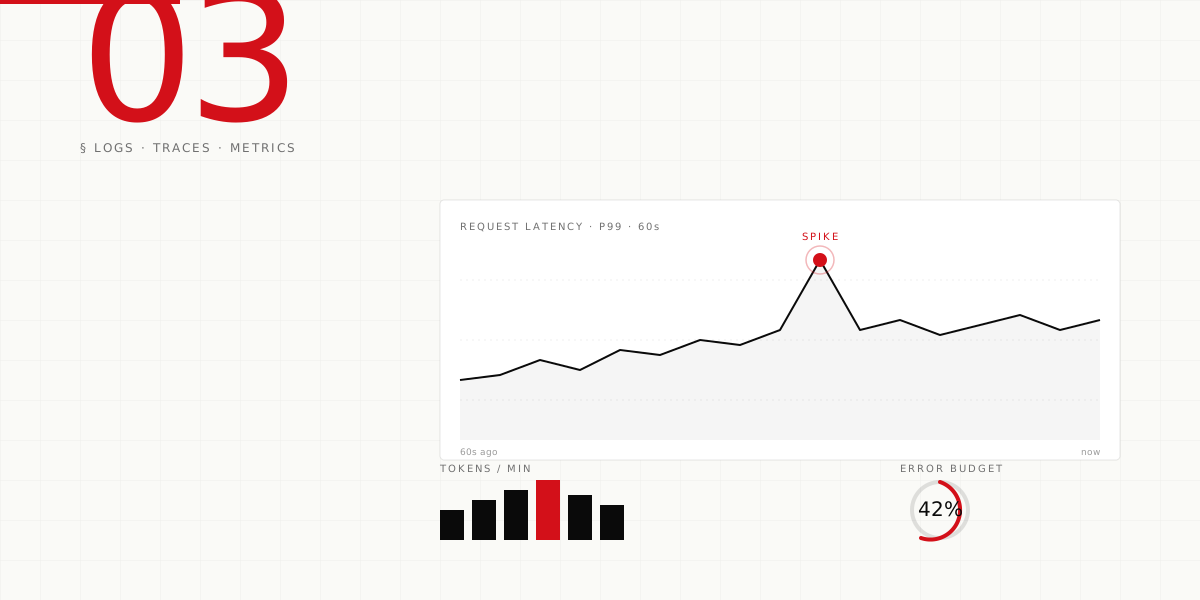
Don't build a dashboard with 40 charts. Nobody reads those. Build the LLM equivalent of the Golden Signals — four numbers, one screen.
- Request rate — calls per minute, by endpoint or use-case.
- Latency distribution — p50, p95, p99. Not average. Never average.
- Error rate — API errors, timeouts, refusals, safety blocks.
- Token spend — tokens per minute, converted to dollars.
If your stack is Grafana + Prometheus, this is ~40 lines of YAML. Save as dashboard-llm.yaml:
panels:
  - title: "LLM · Requests / min"
    type: graph
    query: 'sum(rate(llm_requests_total[1m])) by (endpoint)'

  - title: "LLM · Latency percentiles"
    type: graph
    queries:
      - 'histogram_quantile(0.50, sum(rate(llm_latency_ms_bucket[5m])) by (le))'
      - 'histogram_quantile(0.95, sum(rate(llm_latency_ms_bucket[5m])) by (le))'
      - 'histogram_quantile(0.99, sum(rate(llm_latency_ms_bucket[5m])) by (le))'

  - title: "LLM · Errors + refusals"
    type: graph
    queries:
      - 'sum(rate(llm_errors_total[1m])) by (kind)'

  - title: "LLM · Spend / min (USD)"
    type: graph
query: 'sum(rate(llm_cost_usd_total[1m]))'Every dashboard panel should answer a specific question someone is likely to ask at 3am. If it doesn't, delete it.
Alerts — the three that matter
Alert fatigue kills observability. Start with three alerts. Seriously. Three.
groups:
  - name: llm.alerts
    rules:
      # 1. Latency doubled vs. the last hour's baseline
      - alert: LLMLatencyDoubled
        expr: |
          histogram_quantile(0.95, sum(rate(llm_latency_ms_bucket[5m])) by (le))
          > 2 * histogram_quantile(0.95, sum(rate(llm_latency_ms_bucket[1h])) by (le))
        for: 5m
        annotations:
          summary: "LLM p95 latency doubled vs. 1h baseline"

      # 2. Error rate above 2% for 10 minutes
      - alert: LLMErrorRateHigh
        expr: |
          sum(rate(llm_errors_total[5m])) / sum(rate(llm_requests_total[5m])) > 0.02
        for: 10m
        annotations:
          summary: "LLM error rate above 2%"

      # 3. Spend spike — 3x the hourly average
      - alert: LLMSpendSpike
        expr: |
          sum(rate(llm_cost_usd_total[5m])) > 3 * sum(rate(llm_cost_usd_total[1h])) / 12
        for: 5m
        annotations:
          summary: "LLM spend is 3x baseline — check for runaway"
Three alerts. Pager-worthy. Only add more when you've had an incident that would have been caught by a new alert.
Production evals
The thing that kills LLM apps in production isn't a server crash — it's slow drift in answer quality. You ship a prompt change on Tuesday, nobody notices it's subtly worse until Friday when support tickets spike.
Run your evals against production traffic. Sample 1% of real requests, re-run them through your eval harness, and chart the pass rate over time. A drop tells you to investigate before your users tell you.
import random
import json

def should_sample(rate=0.01):
    return random.random() < rate

def ask_with_eval(user_id, question):
    answer, call_id = ask(user_id, "conv", question)

    # 1% of requests get a production eval in the background
    if should_sample(0.01):
        enqueue_eval({
            "call_id": call_id,
            "question": question,
            "answer": answer,
            "ts": time.time(),
        })
    return answer

def enqueue_eval(payload):
    # Post to your queue / pub-sub. Eval worker runs async.
    # Worker scores: groundedness, refusal-appropriateness, tone, etc.
    with open("eval_queue.ndjson", "a") as f:
f.write(json.dumps(payload) + "\n")Use an LLM as a judge for most eval dimensions. It's cheaper than human review and correlates surprisingly well with human judgement on bounded criteria like "did the answer cite its sources." Don't use it for subjective dimensions like "was the tone appropriate" without sampling humans to calibrate.
Structured logs, one trace per user-visible action, four chart dashboard, three alerts, 1% production evals. Everything else is variations on this skeleton.
What to skip in v1
People get bogged down trying to instrument everything perfectly on day one. Don't. These can wait:
- Distributed tracing across every microservice. If you've got one backend, OTLP to one collector is plenty.
- Human feedback loops in-app. Thumbs-up/down UI is nice. It's also a whole product workstream. Ship it later.
- Cost attribution per user. Until your monthly bill crosses 5 figures, a total spend chart is enough.
- Custom dashboards for every model variant. One dashboard, filter by model label.
Where to go from here
Once your starter kit is humming, the next layer is eval infrastructure that runs on every commit, red-teaming in CI, and proactive drift detection. All important. None urgent on day one.
If you want us to help set this up for your team — logs, traces, dashboards, alerts, and evals — write to us. We've done it for fintech, healthcare, and logistics clients in the last year. We know what catches on fire first.